
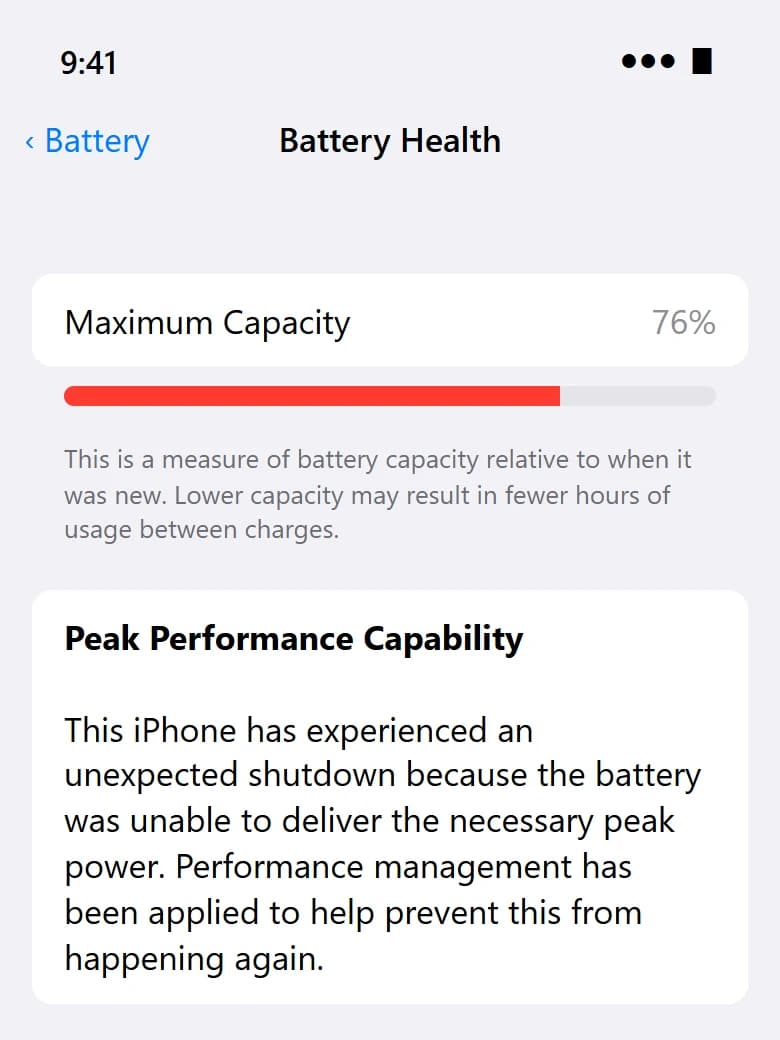
Where to find it
- Open Settings and tap Battery.
- Tap Battery Health (on newer iOS versions it is called Battery Health & Charging).
- Look at Maximum Capacity and the line under Peak Performance Capability.
On iPhone 15 and later, iOS also shows the cycle count, the month the battery was made and the date it was first used. Older models don't show the cycle count anywhere in Settings.
What Maximum Capacity means
Maximum Capacity compares how much charge the battery holds today against when it was new. 90% means a full charge now gets you roughly nine-tenths of the screen time you had on day one.
- 90% and above
- What you'll usually notice:
- Nothing much. A long day still ends with charge left.
- Our honest advice:
- Leave it.
- 85–89%
- What you'll usually notice:
- You start charging once in the afternoon.
- Our honest advice:
- Fine for now. Check again in a few months.
- 80–84%
- What you'll usually notice:
- Charging twice a day; the phone gets warm on camera or GPS.
- Our honest advice:
- Start planning a replacement.
- Below 80%
- What you'll usually notice:
- Sudden drops from 20% to 1%, slowdowns, possible random shutdowns.
- Our honest advice:
- Replace it. Apple itself treats 80% as worn.
Apple designs the battery in iPhone 14 and earlier to keep about 80% of its capacity after 500 full charge cycles, and iPhone 15 and later after about 1,000. Most people in Malaysia hit 500 cycles in a year and a half to two years.
The line that matters more: Peak Performance Capability
This is where iOS tells you whether it has started slowing the phone to protect a weak battery. If it reads “Your battery is currently supporting normal peak performance”, you're fine.
If the screen says “Your battery's health is significantly degraded” or shows a Service message, replace it soon. A battery in that state is also more likely to start swelling.
When the number lies
The percentage is an estimate. A phone that shows 86% but switches off at 30% in an air-conditioned mall has a battery problem the number isn't catching. Trust what the phone does over what Settings says.
Right after a battery replacement, the reading can also behave differently depending on which grade of battery you chose. We explain that on the page about what happens after a replacement.
Quick answers
Does 100% charging every night ruin the battery?
Not by itself. iOS already holds the charge at 80% overnight with Optimised Battery Charging and finishes before you usually unplug. Heat does far more damage than charging habits.
Can SPR check my battery health for free?
Yes. Walk into any outlet and ask — it takes a minute and you don't have to repair anything.
Send us your model. We'll quote all three grades.
Prices depend on the model and the grade, so we don't list them here. A WhatsApp message gets you the exact figure, usually within minutes during opening hours.
Free quote on WhatsApp